Automated Payment Reconciliation: A Complete Guide
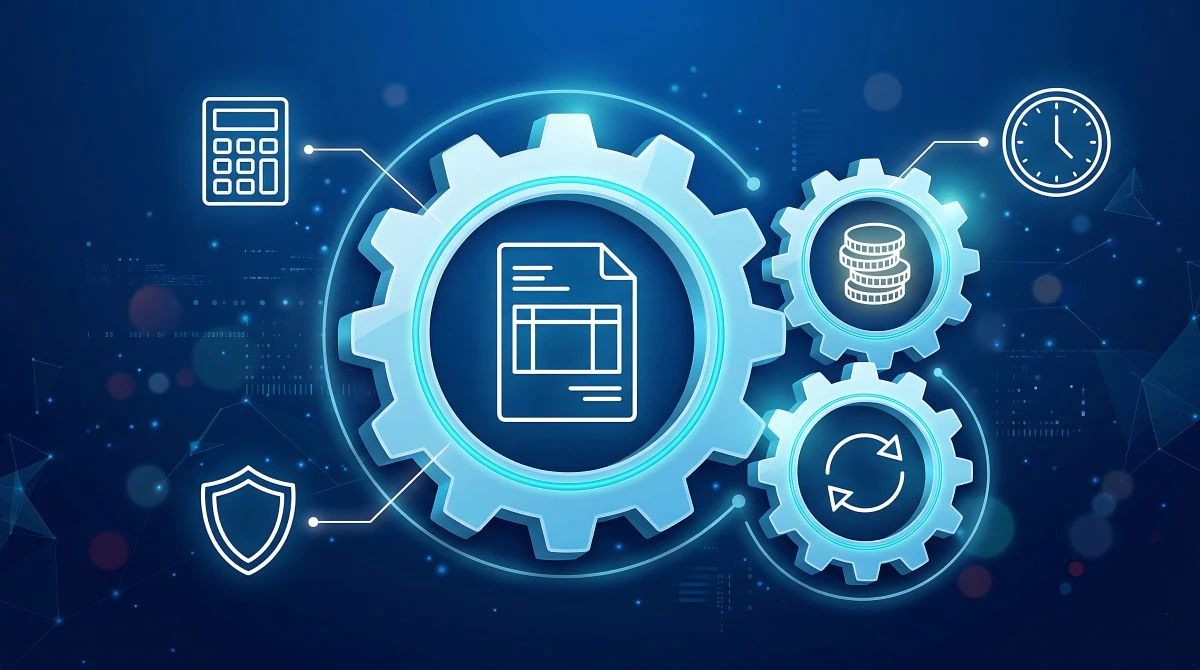
Done well, it turns reconciliation from a monthly fire drill into a repeatable, auditable workflow that supports faster close and fewer exceptions.
What is automated payment reconciliation?
Automated payment reconciliation is a system-led process that matches “what should have happened” (orders/invoices/subscriptions) with “what actually happened” (processor events, payouts, bank movements) and posts the result into your ledger with minimal manual input. The output is typically a reconciled set of transactions plus a controlled exceptions queue for anything that can’t be matched automatically.
Most teams reconcile at least three layers of truth:
- Commercial truth: order/invoice/subscription records (your source-of-truth)
- Payments truth: processor lifecycle events (authorized, captured, refunded, disputed) and payout reports
- Cash truth: bank statement movements and balances
How automated payment reconciliation software works
Automated payment reconciliation software works by ingesting transaction data from multiple systems, normalizing it into a common schema, and applying deterministic matching logic (plus optional heuristics) to link records to each other. In payment stacks, “matching” is not only about amount and date—it’s about understanding the payments lifecycle and the identifiers that survive across systems (payment IDs, merchant reference, payout IDs, bank references).
A typical automation loop looks like this: the tool pulls transactions (API or files), standardizes fields, matches records using references and rules, books the entries, and routes the rest into exceptions—where the system still helps by showing the best candidate matches and the reason a match failed.
Minimal matching signals that usually drive high accuracy:
- Stable identifiers (merchant reference, payment ID, payout ID)
- Amount + currency (including fee and net/gross handling)
- Timestamps with settlement windows (not just “same day”)
- Status transitions (captured vs. refunded vs. disputed)
Manual vs. automated reconciliation
Manual reconciliation is usually spreadsheet-driven and depends on a person remembering rules (“this acquirer settles T+2,” “this APM batches payouts weekly,” “these fees show up separately”). It works at low scale, but it doesn’t scale operationally because volume grows faster than headcount—and errors compound.
Automated reconciliation replaces human memory with repeatable logic:
- Manual: human matching + ad hoc rules + delayed error discovery
- Automated: rules + lifecycle-aware matching + early exception detection and audit trails
The efficiency gain typically comes from pushing most transactions into a “no-touch” path and reserving human time for true anomalies.
What are the benefits of automating financial reconciliation for businesses?
Automating reconciliation is an operational efficiency play: fewer hours spent matching lines, fewer errors, and faster, more reliable reporting. The most important benefit is not “automation for its own sake,” but predictable finance operations—especially when you run multiple payment methods, currencies, or entities.
Reducing errors and increasing consistency
Automation reduces human error by enforcing the same rules every time and by preventing “silent mismatches” that spreadsheets can hide. It also makes policy enforceable: which references must be present, what constitutes a valid settlement window, and how fees/refunds/disputes are treated in accounting.
Where teams see the biggest consistency gains:
- Repeatable matching rules (same inputs → same outputs)
- Controlled exception handling (no “fix it in the sheet” shortcuts)
- Clear separation of gross vs. net and fee logic
Improving financial visibility and record keeping
Reconciliation is where operational data becomes finance data. When it’s automated, you get near-real-time visibility into what’s pending, what’s settled, what’s failed, and what’s disputed—without waiting for month-end.
Good automation improves record keeping by creating:
- Traceable links between orders, payments, payouts, and bank movements
- Immutable logs of adjustments (refunds, chargebacks, reversals)
- Reproducible reports for audits and internal controls
Supporting faster financial close cycles
Close slows down when finance has to “prove” numbers from scratch each month. Automated reconciliation supports faster close by continuously resolving most transactions during the period and keeping the exceptions list small and well-documented.
In practice, the close-cycle improvement usually comes from:
- Early detection of breaks (missing references, delayed settlements)
- Automated postings and standardized journal mapping
- Fewer last-minute manual adjustments
Key features to look for in reconciliation tools
The best reconciliation tools focus on operational throughput and control—not flashy dashboards. You want strong ingestion, deterministic matching, and auditability.
Features that typically matter most:
- Multi-source ingestion: APIs and file imports from PSPs, banks, billing, ERPs
- Normalization layer: consistent schema for IDs, statuses, fees, and timestamps
- Lifecycle-aware matching: understands capture vs. refund vs. dispute vs. payout
- Exception workflows: queueing, assignment, reason codes, and resolution notes
- Audit trail and access control: who changed what, when, and why
- Export/ledger integration: mapping rules and outputs usable by your accounting system
Security also matters. If reconciliation tooling touches payment data—even indirectly—ensure controls align with your broader PCI DSS obligations and secure handling practices.
Common use cases for automated payment reconciliation
Automated reconciliation pays off fastest in environments where transaction counts are high, payment methods are diverse, or payout structures are complex. The common thread across the use cases below is operational scale: too many events, too many edge cases, and too much variance for manual matching to stay accurate.
Ecommerce and marketplace payment matching
Ecommerce reconciliation is not just “order to payment.” It’s often “order to payment to payout,” with partial refunds, cancellations, split shipments, and payment method variance. Marketplaces add complexity: multiple sellers, fees, and split disbursements.
High-impact automation patterns:
- Match order ID ↔ payment ID ↔ payout ID
- Reconcile gross vs. net (fees and adjustments)
- Track refunds and disputes as lifecycle events, not standalone negatives
Subscription and recurring billing reconciliation
Subscriptions create predictable volume and predictable failure modes: retries, proration, partial periods, plan changes, and involuntary churn. Reconciliation must align billing events with payment outcomes and settlement—especially when failed payments recover later.
This is also where structuring your billing logic matters. If your offering relies on installments or flexible schedules, designing clear billing references and consistent payment metadata makes reconciliation dramatically easier over time. Many teams formalize this by defining product-level payment plans that map cleanly to ledger logic and payment events.
Cross-border payments and multi-currency scenarios
Cross-border reconciliation breaks when teams treat FX as an afterthought. You may have:
- Buyer currency ≠ settlement currency
- Fees charged in a different currency than the transaction
- Bank statements reflecting net payouts while internal systems track gross
Operationally efficient reconciliation requires explicit FX handling rules: what rate source is used, how rounding is treated, and whether you reconcile gross, net, or both—consistently across the stack.
Solutions for small businesses vs larger organizations
Small businesses usually need simple automation: fewer systems, fewer payment methods, and a clean export into accounting. Large organizations need stronger controls: multi-entity support, robust auditability, standardized exception operations, and scalable integrations.
A practical difference in tooling requirements:
- Small business: fast setup, basic matching rules, clean exports
- Enterprise: multi-source normalization, lifecycle awareness, access controls, and reconciliation at scale
Steps to implement an automated reconciliation workflow
The fastest path to operational efficiency is implementing reconciliation like an engineering system, not a finance side project. Start with your canonical identifiers and lifecycle model.
A proven implementation sequence:
- Define the reconciliation object model
Decide what “one transaction” means in your ledger: order, invoice, subscription charge, payout, or a composite object. - Standardize identifiers across systems
Make sure merchant references and payment IDs propagate through checkout, provider events, and finance exports. - Map lifecycle states and events
Model authorization, capture, refund, dispute, payout, and reversal as distinct transitions. - Build deterministic matching rules first
Start with strict ID-based matches before adding heuristics. Determinism reduces noise and improves auditability. - Create an exceptions queue with reasons
Treat exceptions as a workflow: ownership, reason codes, SLAs, and resolution notes. - Automate posting/export and validate controls
Ensure outputs are consistent, repeatable, and reviewable. Add logging and access controls from day one. - Monitor and iterate
Track exception rates and root causes. Most long-term efficiency gains come from improving upstream data quality.
Automated payment reconciliation with LimePay
If you’re operating through LimePay, the most direct automation path is to programmatically retrieve transaction details on demand and feed them into your reconciliation pipeline. LimePay documents a dedicated Reconciliation API designed to retrieve transaction details in JSON so you can transform them into the formats your finance stack expects (including CSV-style exports when needed).
A practical, operationally efficient setup typically looks like this:
- Use provider-side transaction retrieval (API) as a consistent source for payment event data and references.
- Normalize that data into your internal schema (order/invoice ID, payment ID, payout reference, amounts, currency, fees).
- Apply matching rules and route the remainder into a controlled exceptions queue.
- If your payment strategy includes account-to-account rails, build lifecycle-aware matching that reflects how those rails settle and reference transactions—especially where bank references and clearing timings differ from card rails.
The efficiency goal is “low-touch reconciliation”: most records match automatically because identifiers and lifecycle states are consistent, and the remaining breaks are explainable, assignable, and measurable.
References
PCI Security Standards Council. (n.d.). PCI DSS v3.2.1 Quick Reference Guide. https://www.pcisecuritystandards.org/documents/PCI_DSS-QRG-v3_2_1.pdf
NetSuite. (2025). Payment Reconciliation Defined: How It Works & How to Automate. NetSuite. Retrieved from https://www.netsuite.com/portal/resource/articles/accounting/payment-reconciliation.shtml
SAP Concur. (2025). Financial reconciliation: How can automation help in this process? SAP Concur. Retrieved from https://www.concur.com/blog/article/financial-reconciliation-how-can-automation-help-in-this-process

Recent Posts